FeaturesPurchase
Buy withoutretyping.
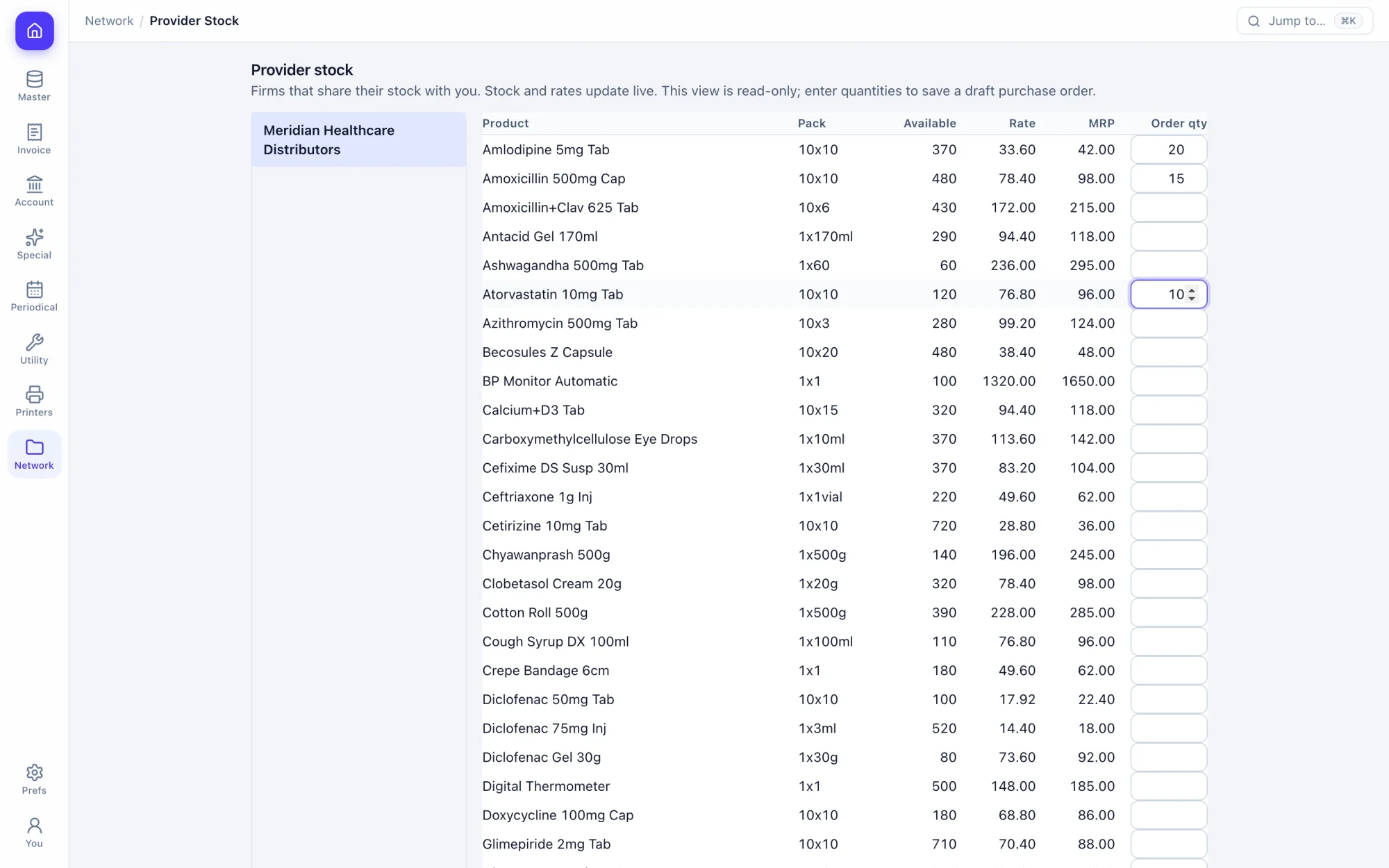
A purchase bill posts its own stock-in and ledger legs. Import the supplier's file, or order on their live stock if they are on the network.
How the work goes.
Step 1
Work out what to buy
Build an order from daily sales, past sales, your short list or the supplier's list.
Step 2
Place the order
Send it to a supplier on the network, or keep it in your own order book.
Step 3
Enter or import the bill
Type it, or import the supplier's CSV through a column mapping you set once.
Step 4
Stock and ledger post
New batches arrive with expiry and MRP. The supplier's account is credited on save.
What you get.
Purchase bills
New batches with expiry and MRP created as you enter the bill.
Purchase imports
Bring in a supplier's CSV, with column and pack-size mappings you keep.
Orders from your data
Start from daily sales, past sales, the short list or a supplier's product list.
Quotation requests
Ask suppliers for quotations and record what they reply.
Order against purchase
See what was ordered, what arrived and what is still due.
Debit notes and returns
Return goods to the supplier against the batch they came in on.
Reverse charge
Other inputs under RCM, posted to the right tax ledgers.
Job work
Material sent out and received back, tracked by party.
Inward challans
Receive on a challan first and convert it to a purchase bill later.
Keys you will use.
All shortcuts- SaveCtrlS
- New recordAltN
- FindAltF
- DeleteAltD
- Order or chargesAltO
- PrintCtrlP
Screens in this area.
See all screens- Purchase Bills
- Purchase Return
- Debit Notes
- Other Inputs/RCM
- Delivery Challans (Inward)
- Challan To Purchase
- Purchase Imports
- Purchase
- Provisional Purchase
- Orders (Normal)
- From Daily Sales
- From Sales
- From Shortlists
- From Suppliers' List
- Order vs Purchase Report
- Request For Quotation
- Quotation By Supplier
- Jobwork Inward
- Jobwork Outward
- Purchase Due Reports
Try it on your own books.
Fourteen days free with every feature. Pick a firm code and you are billing in a minute.