Features
Everything adistributor doesin a day.
Sales, purchase, stock, accounts, GST, reports, your supplier network and your team, in one keyboard-first app. Every screen is in the free trial.
- 01Sales and billingGST invoices, counter POS, returns and dispatch.
- 02PurchaseBills, imports, orders and supplier returns.
- 03StockBatch, expiry and MRP across godowns.
- 04Accounts and bankingReceipts, cheques, reconciliation and final accounts.
- 05GST and complianceTax per line, GST reports and e-invoice preparation.
- 06ReportsRegisters, analysis and exports, 200+ ready.
- 07Supplier networkLive shared stock and orders between firms.
- 08Team and rolesPer-screen rights, branches and the activity log.
01 · Sales and billing
Bill at counter speed.
Pick the party, type the product: batch, expiry, MRP, rate and tax fill themselves. The outstanding and credit limit sit above the lines.
Explore sales and billing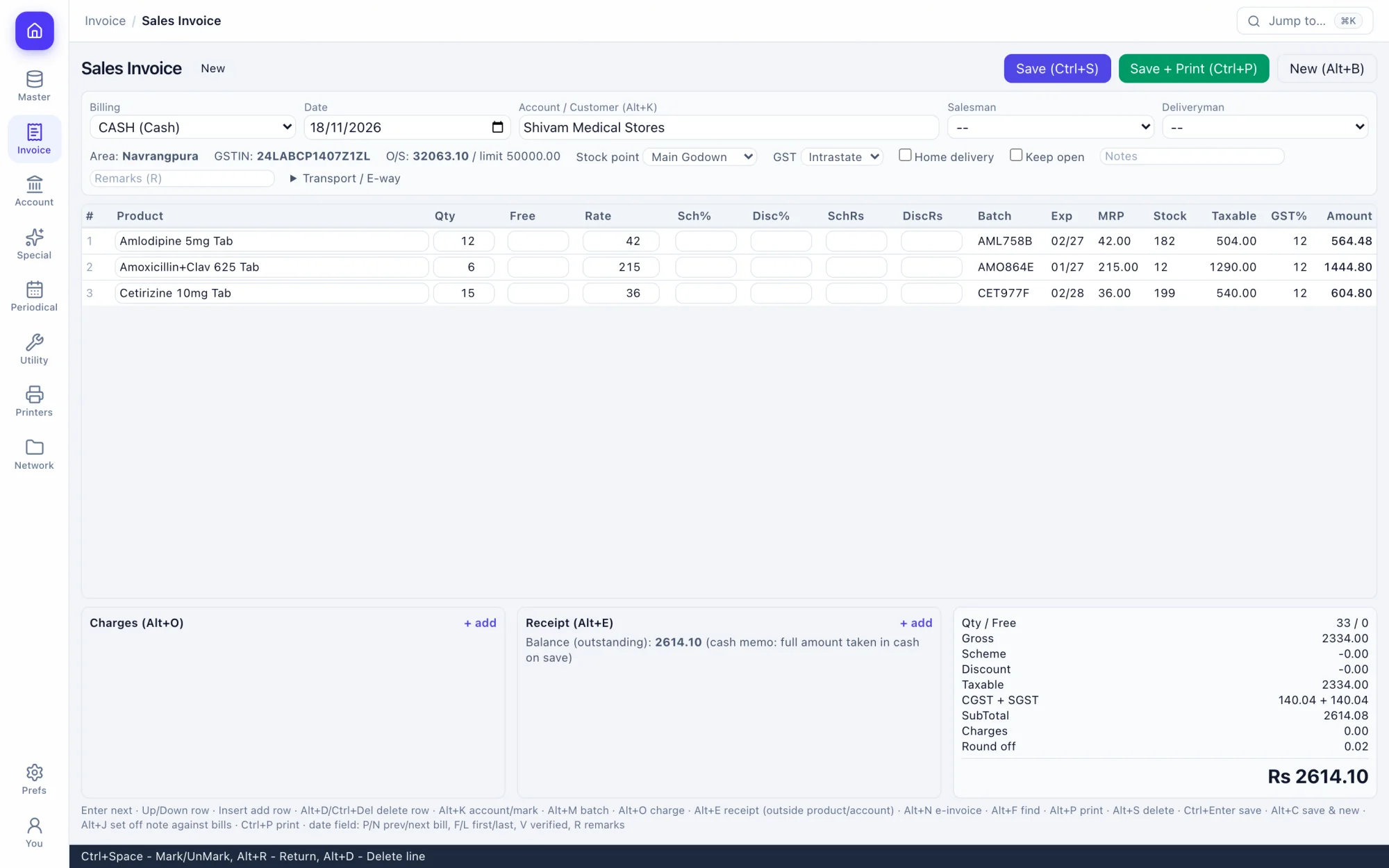
GST sales invoice
Batch picked by expiry, scheme and discount per line, CGST and SGST or IGST by the party's state.
Counter POS
A key for every step, kit bills from a bill of materials, repeat the last bill on Alt+9.
Distributor invoice
A wholesale layout with trade and free quantity, for stockist-to-retailer billing.
Search by generic
Find a product by its salt or content as well as its name (Alt+P on the counter).
Returns and credit notes
Sales returns put stock back; credit notes set off against open bills on Alt+J.
Challans and quotations
Delivery challans, quotations and proforma invoices that turn into bills.
02 · Purchase
Buy without retyping.
A purchase bill posts its own stock-in and ledger legs. Import the supplier's file, or order on their live stock if they are on the network.
Explore purchase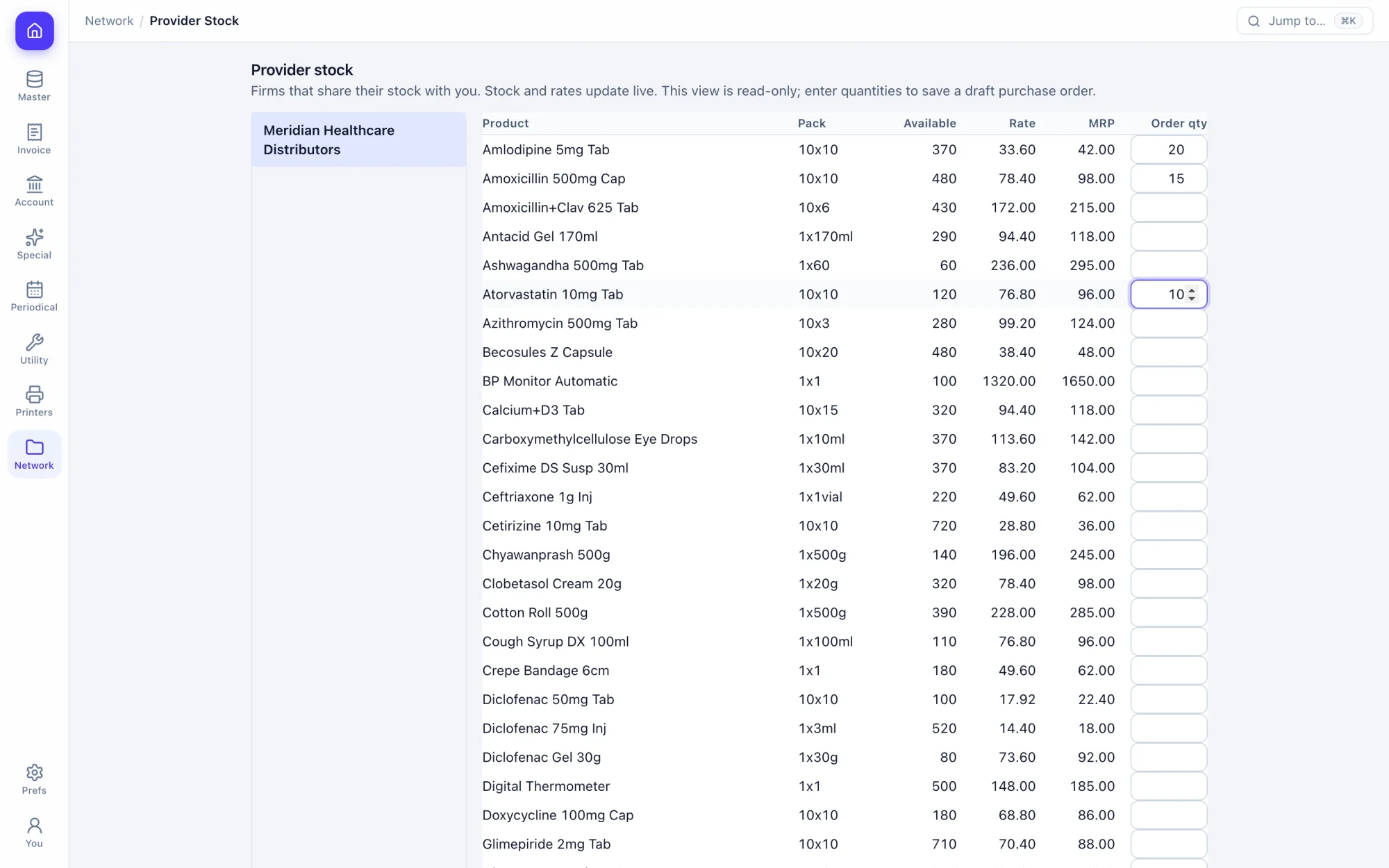
Purchase bills
New batches with expiry and MRP created as you enter the bill.
Purchase imports
Bring in a supplier's CSV, with column and pack-size mappings you keep.
Orders from your data
Start from daily sales, past sales, the short list or a supplier's product list.
Quotation requests
Ask suppliers for quotations and record what they reply.
Order against purchase
See what was ordered, what arrived and what is still due.
Debit notes and returns
Return goods to the supplier against the batch they came in on.
03 · Stock
Every strip, by batch and expiry.
Stock is kept per batch with its MRP and expiry, across stock points and racks. Near-expiry and slow movers show before they cost you.
Explore stock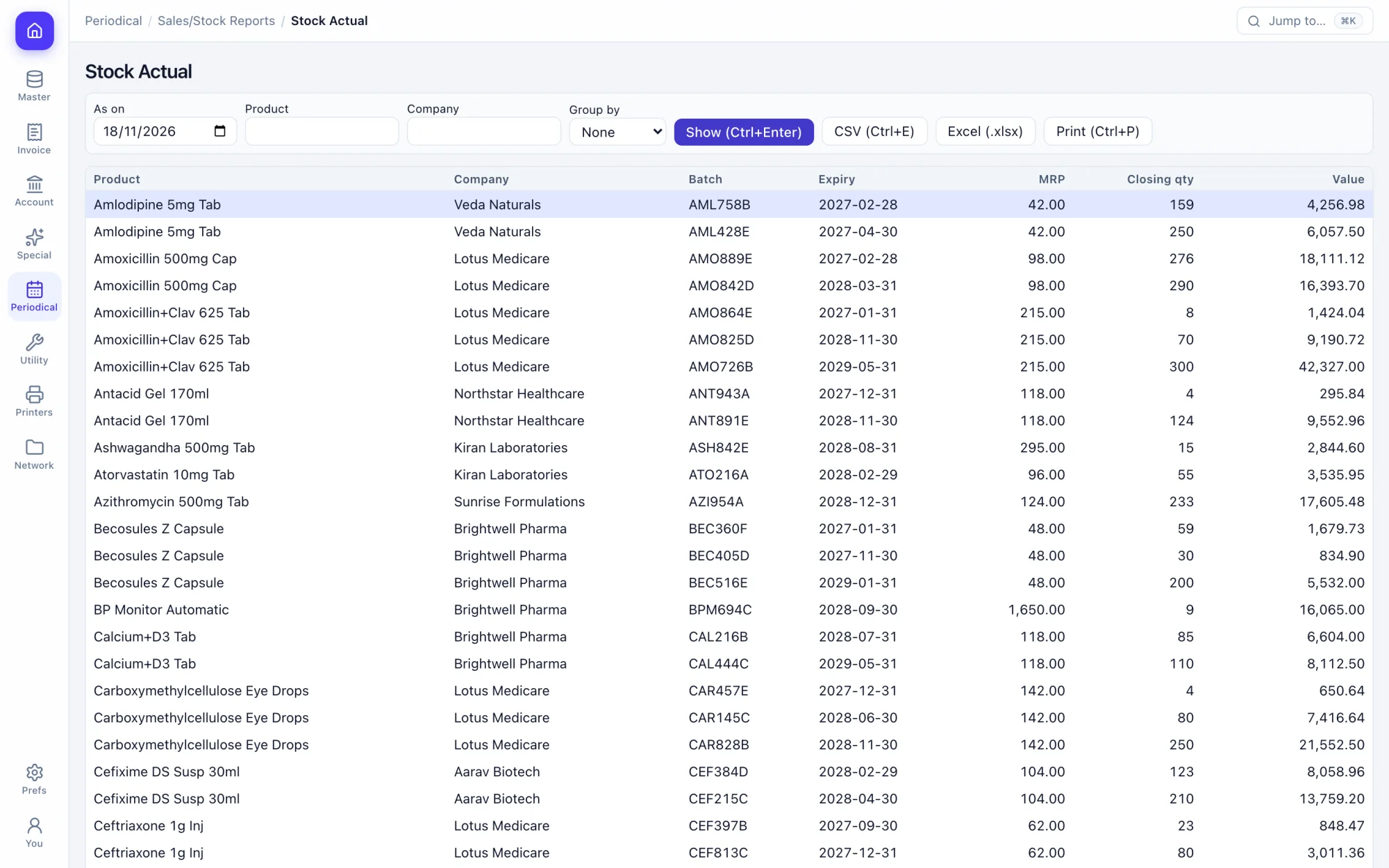
Batch-wise stock
Quantity, MRP, rate and expiry per batch, picked by expiry on the bill.
Stock points and racks
Where each product sits, so the picker finds it.
Transfers
Between stock points and branches, including expiry stock sent back.
Barcodes
Print product barcodes and scan them at the counter.
Kits and manufacturing
Bills of materials, and manufacturing journals for what you assemble.
Early expiry
Batches close to expiry, in time to return or sell them.
04 · Accounts and banking
Books that balance themselves.
Every document posts its own ledger legs. Receipts are matched to bills, cheques are tracked from issue to clearing, and the final accounts read from the same entries.
Explore accounts and banking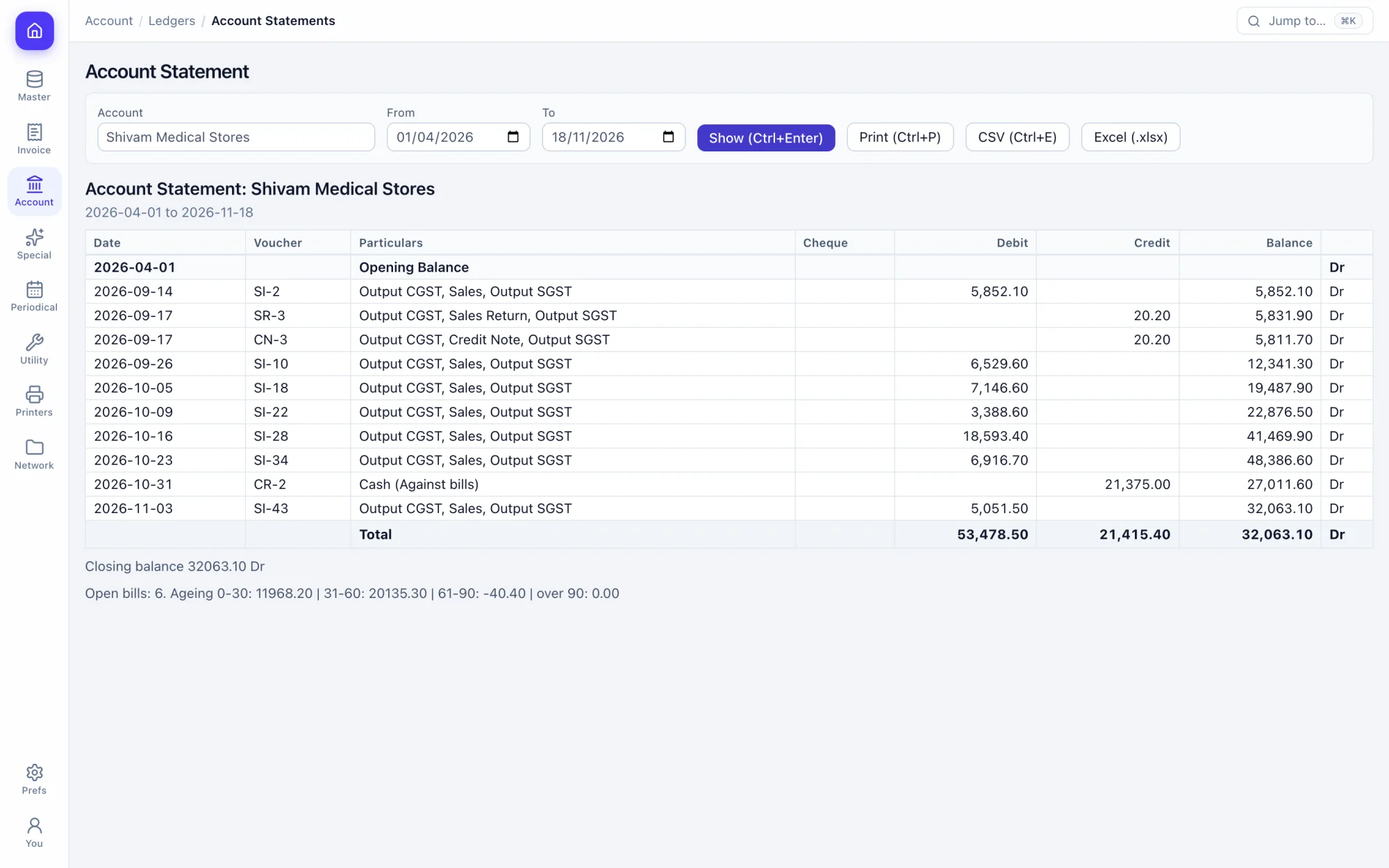
Receipts and payments
Cash and bank, matched against open bills.
Cheques
Clearing slips, returns, post-dated cheques and a blank-cheque register.
Cheque printing
Design the layout once for your bank and print on it.
Bank reconciliation
Match a statement CSV automatically, or reconcile by hand.
Journal vouchers
An unbalanced voucher cannot be saved.
Party statements
Running balance, open bills and ageing, ready to send.
05 · GST and compliance
Tax worked out on every line.
Tax comes from the product and the party, so your GST reports read straight from your bills.
Explore gst and compliance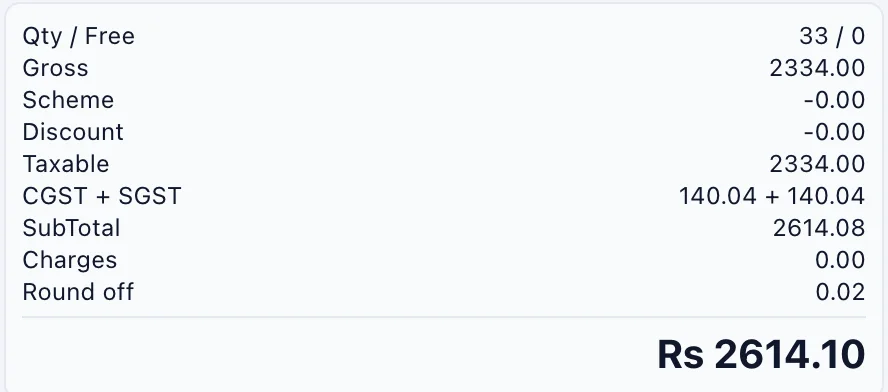
Tax per line
CGST and SGST inside the state, IGST outside it.
GSTIN check
A wrong GSTIN is caught when the party is saved.
HSN and tax categories
Kept on the product, so nobody picks a rate while billing.
GST reports
Outward and inward supplies by rate, and vouchers by GSTIN.
E-invoice and e-way data
Preview the data and add it to a queue from the bill.
Licences on the party
Drug licence numbers and expiry kept with the customer.
06 · Reports
Two hundred reports, ready to export.
Registers, day book, trial balance, stock valuation and analysis by party, product, salesman or area. Filter, then send to Excel or CSV.
Explore reports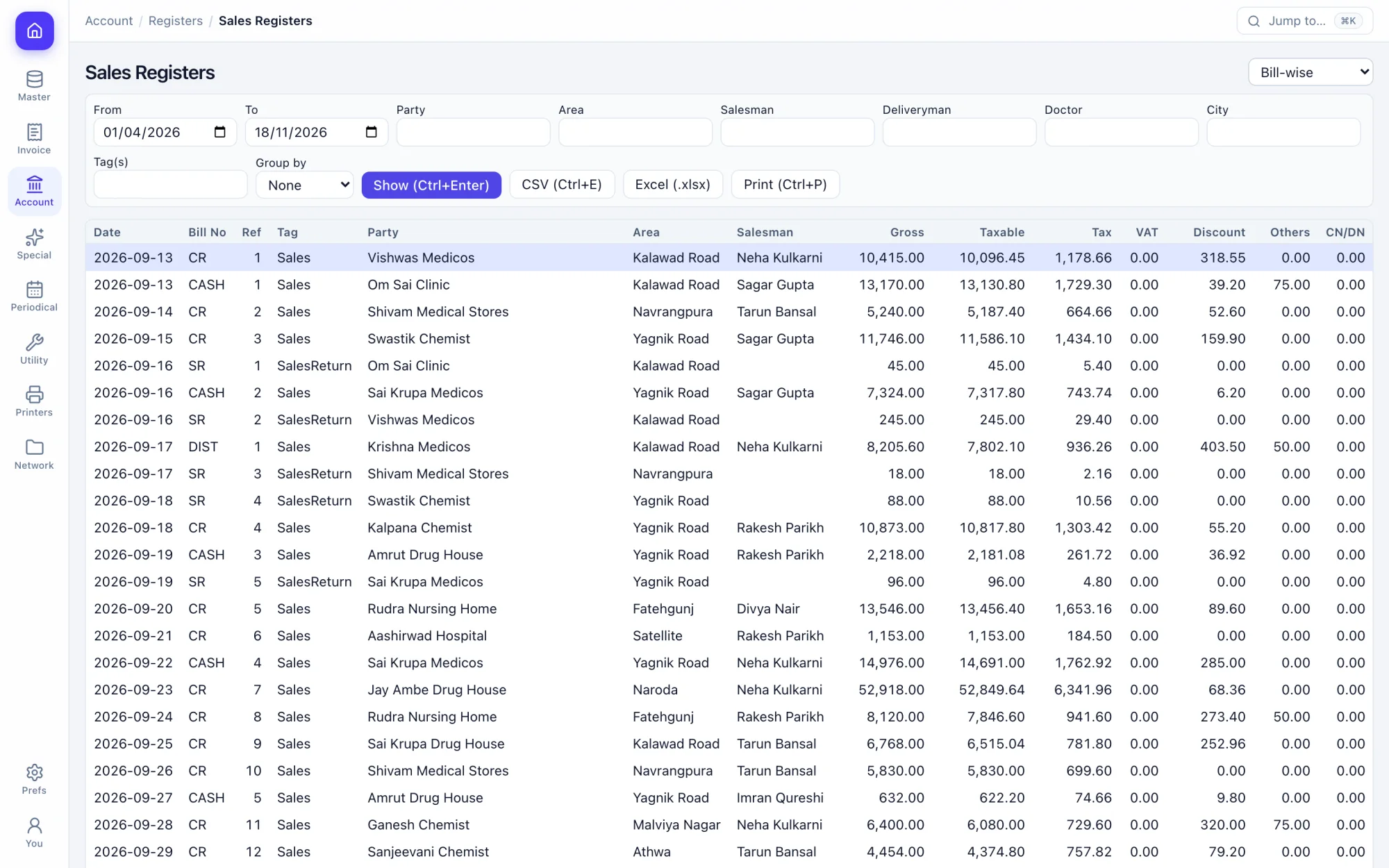
Registers
Sales, purchase, challan, journal and note registers.
Daily view
Daily summary, hourly sales, day book and cashier summary.
Party analysis
Sales and purchase by party, and average payment days.
Product analysis
Sales, purchase, margins and top sellers.
Team analysis
Salesman, deliveryman and target reports.
Area analysis
Sales by city and area.
07 · Supplier network
Your distributor's stock, on your screen.
Distributors on Prime-ERP share live stock and rates with the shops they choose. Shops order on it, and the order arrives in the supplier's inbox.
Explore supplier network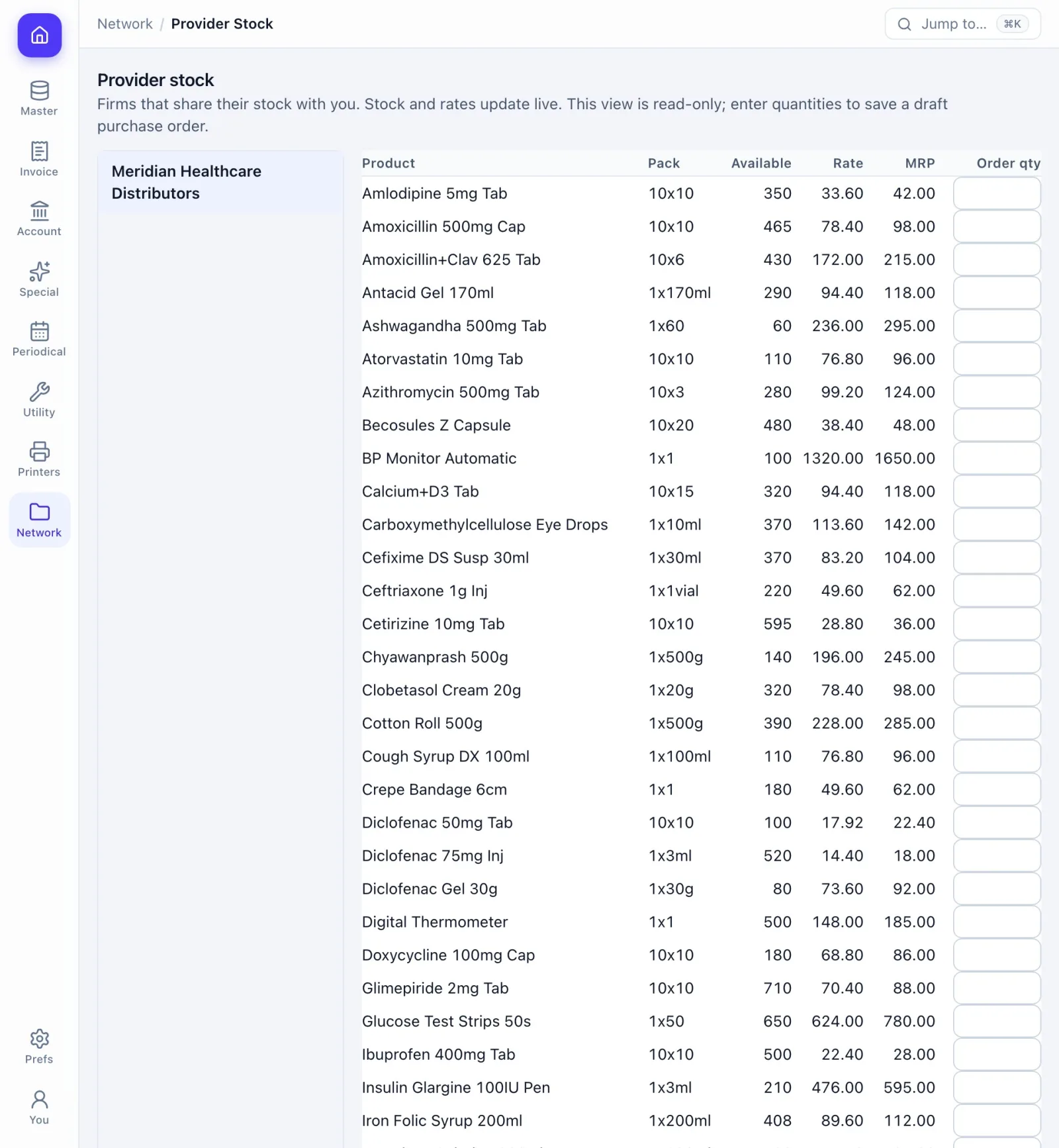
Share by choice
The supplier picks which products, and which shops see them.
Live stock and rates
Changes reach the shop's screen the moment they are saved.
Order in one place
Quantities in, one click, and the order lands in the supplier's inbox.
Accept or reject
The supplier answers with remarks and the shop sees it live.
A plan for order-only shops
The Network plan gives a shop one user for ordering, and it can move to a full plan later.
08 · Team and roles
Counter staff see the counter.
Roles decide who opens, creates, edits, deletes or exports each screen. Every refusal and every change lands in the activity log.
Explore team and roles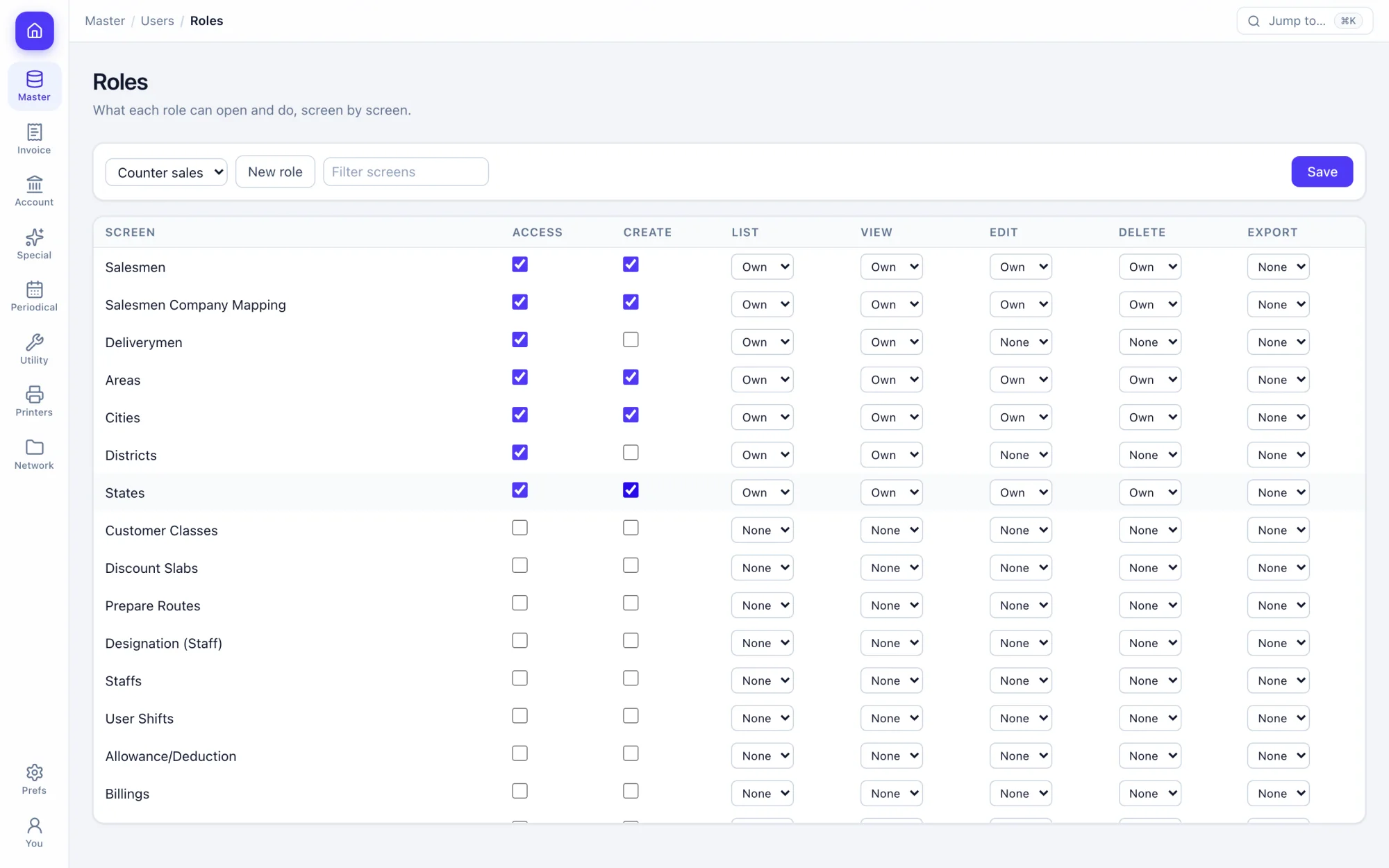
Per-screen rights
Open, create, edit, delete and export, per role and per screen.
Action rules
Deny a single action, such as deleting a bill, for a role.
Users
A deleted user is signed out at once.
Activity log
Who did what, when, and what was refused.
Branches
Switch branch and financial year from the header.
Preferences
Set how billing, printing and numbering behave for your firm.
09 · Keyboard
Billing never needs the mouse.
Every action has a key. Alt is ⌥ on a Mac and Ctrl is ⌘. Press ? on any screen for its list.
Try every shortcut- Open any screen by nameCtrlK
- Move to the next fieldEnter
- Save the documentCtrlS
- Save and printCtrlShiftEnter
- New recordAltN
- Print or previewCtrlP
- Every key on this screen?
391 screens, all in the trial.
The full list comes straight from the app’s menu. Search it for the thing you need.
Try it on your own books.
Fourteen days free with every feature. Pick a firm code and you are billing in a minute.