FeaturesSupplier network
Your distributor'sstock, on your screen.
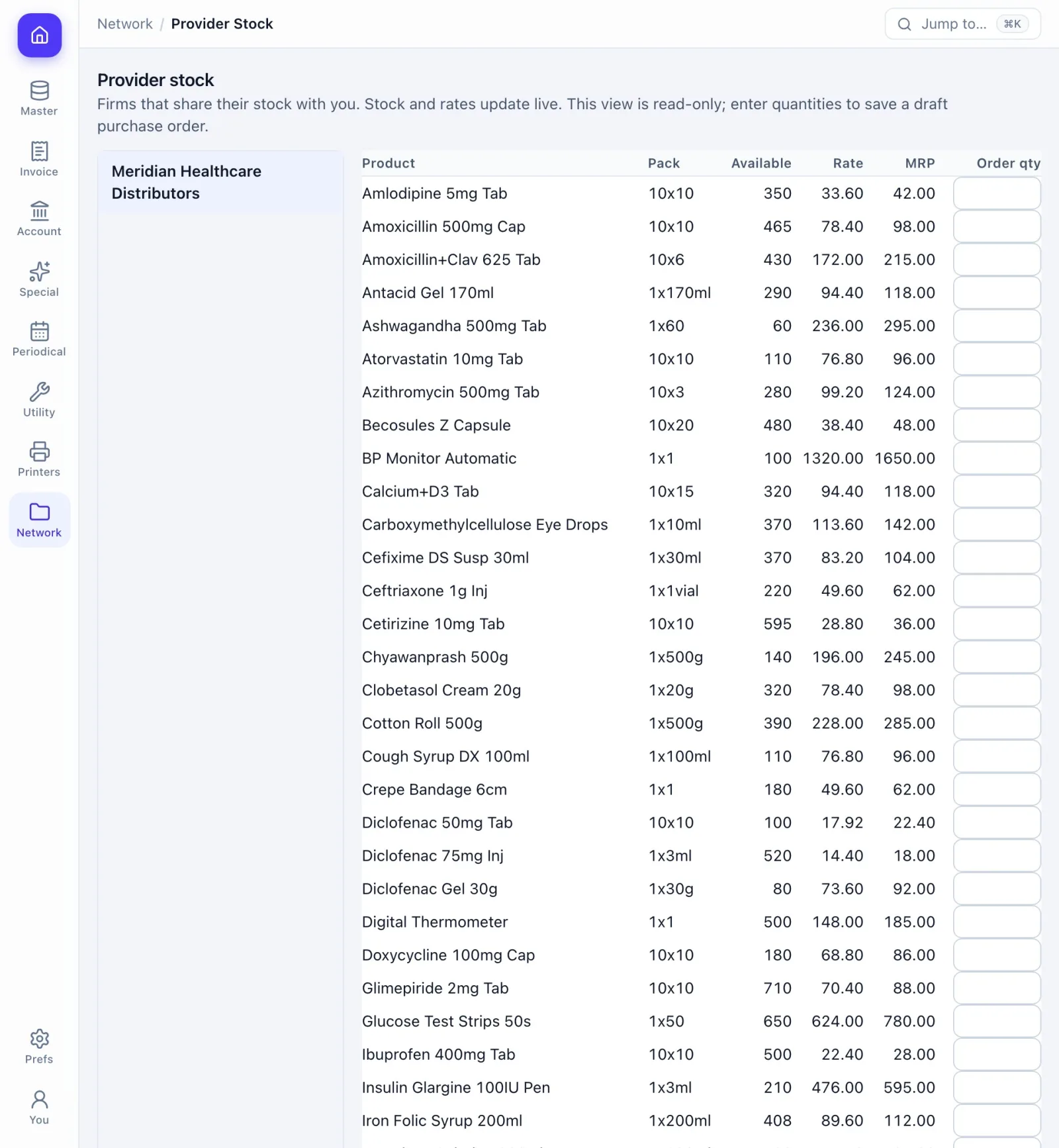
Distributors on Prime-ERP share live stock and rates with the shops they choose. Shops order on it, and the order arrives in the supplier's inbox.
How the work goes.
Step 1
The supplier shares
Choose the products and the shops that may see them.
Step 2
The shop sees it live
Stock and rates change on screen the moment they are saved.
Step 3
The shop orders
Enter quantities and place one order.
Step 4
The supplier answers
Accept or reject with remarks. The shop sees the answer live.
What you get.
Share by choice
The supplier picks which products, and which shops see them.
Live stock and rates
Changes reach the shop's screen the moment they are saved.
Order in one place
Quantities in, one click, and the order lands in the supplier's inbox.
Accept or reject
The supplier answers with remarks and the shop sees it live.
A plan for order-only shops
The Network plan gives a shop one user for ordering, and it can move to a full plan later.
Keys you will use.
All shortcuts- Open network screensCtrlK
- BackEsc
Screens in this area.
See all screens- Stock Sharing
- Provider Stock
- Network Orders
Try it on your own books.
Fourteen days free with every feature. Pick a firm code and you are billing in a minute.